Razer vs Logitech: Mouse Performance Compared

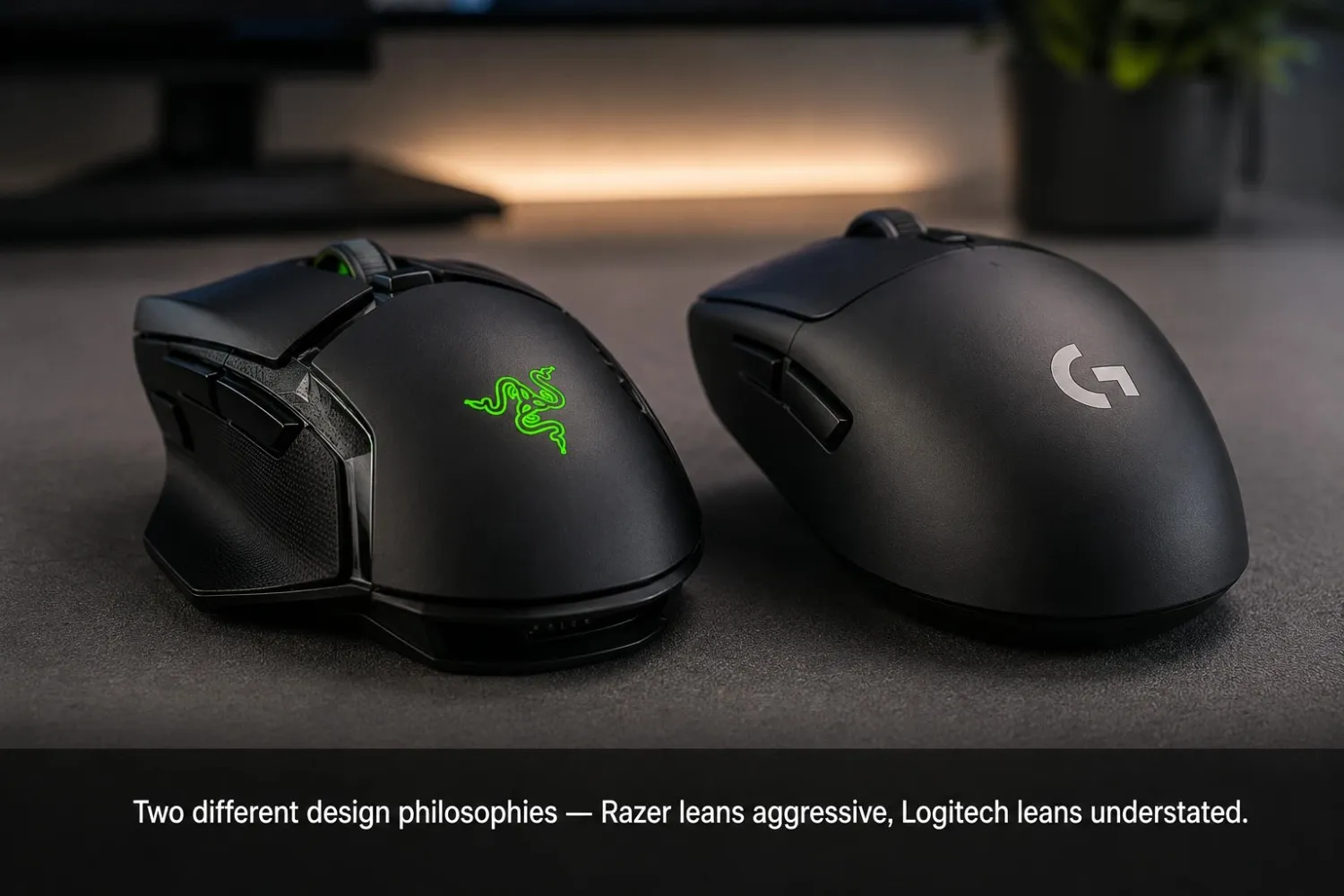
This isn't about which logo looks better on your desk. It's about what each brand does differently. The sensor. The switch. The software. And where that actually shows up when you test your own mouse.
Razer and Logitech show up in almost every "best gaming mouse" list. Most comparison threads turn into a brand argument instead of a real answer. That's not useful if you're trying to decide which one to buy.
Razer vs Logitech: The Real Difference Isn't the Logo
Both brands build competitive hardware now. A decade ago, the gap was bigger. Today the differences are smaller and more specific. Think sensor tuning, switch feel, and software depth.
Here's the short version before we go deeper:
- Razer leans into faster click response and lighter switch actuation. Jitter-clickers and spam-clickers notice this quickly.
- Logitech tends to win on build consistency and software stability. This shows up most in older or budget models.
- Sensor accuracy is close enough between the two flagship lines. Most people can't tell the difference blind.
- Switch lifespan varies more by model than by brand. A $150 Razer mouse and a $40 Razer mouse don't share the same switch.
None of that means one brand is "better." The right pick depends on what you're optimizing for. Click speed. Long-term reliability. Or your software ecosystem.
Why This Comparison Gets Argued About So Much
Most online debates compare a flagship Razer mouse against a budget Logitech one. That's not a fair brand comparison. It's a price-tier comparison wearing a brand label. A fair test means matching tiers. Flagship to flagship. Mid-range to mid-range.
Sensor and Tracking Performance
Sensor quality is where most of the real performance gap lives. Not branding.
Razer mostly uses its own Focus Pro sensor line in its current flagship mice. It's tuned for Razer's own firmware. Logitech uses its HERO sensor across most of its gaming lineup. The company has refined it over several generations instead of starting fresh each time.
Both track cleanly at common DPI ranges, around 400 to 1600. Jitter stays minimal on a decent mousepad. The real differences show up at the extremes. Very high DPI. Fast flicks. Or glossy surfaces that confuse most optical sensors, regardless of brand.
A basic output test will show you real jitter on your specific mouse. That tells you more than any marketing number ever will.
Where Sensor Differences Actually Show Up
- High-speed flicks: both brands hold steady at competitive DPI. Budget models from either company get inconsistent above 3000 DPI.
- Surface sensitivity: Logitech handles a wider range of surfaces without a dedicated pad. Razer performs best on a matched surface.
- Lift-off distance: both let you adjust this in software. Razer's range is slightly more granular on newer models.
Switch Quality and Click Feel
This is where the two brands diverge the most. Personal preference matters more here than any benchmark.
Razer's optical switches use a beam of light instead of physical metal contact. There's no metal-on-metal contact, so there's less mechanical wear over time. Razer markets this around reduced double-click risk from contact bounce. Want to check this on your own hardware? A quick mouse tester check shows you whether a single press fires once cleanly, or quietly twice.
Logitech still uses mechanical switches across most of its lineup, including higher-end models. These feel a bit different. Many users describe it as heavier, or "crunchier," than Razer's lighter optical click. Mechanical switches can develop contact bounce after years of heavy use. That's the classic cause of unwanted double-clicking.
Neither approach wins outright. Optical switches remove one specific failure mode. Mechanical switches just feel more familiar to people who've used mice for years. Razer's own page on how its optical switches actuate covers the light-beam mechanism in more depth than most third-party reviews do.
Click Latency: Is There Actually a Difference?
Razer has pushed click latency numbers in its marketing for years. It cites sub-millisecond response on its optical switches. Logitech doesn't lead with the same messaging. But once you factor in polling rate and USB processing, the real-world gap is tiny. Most players won't consciously feel it during a match.
Is your click timing actually off? A double-click check is a faster way to find out than comparing brand specs. The issue is almost always switch-specific, not brand-wide.
Software Ecosystem: Razer Synapse vs Logitech G Hub
Software is where the experience really splits.
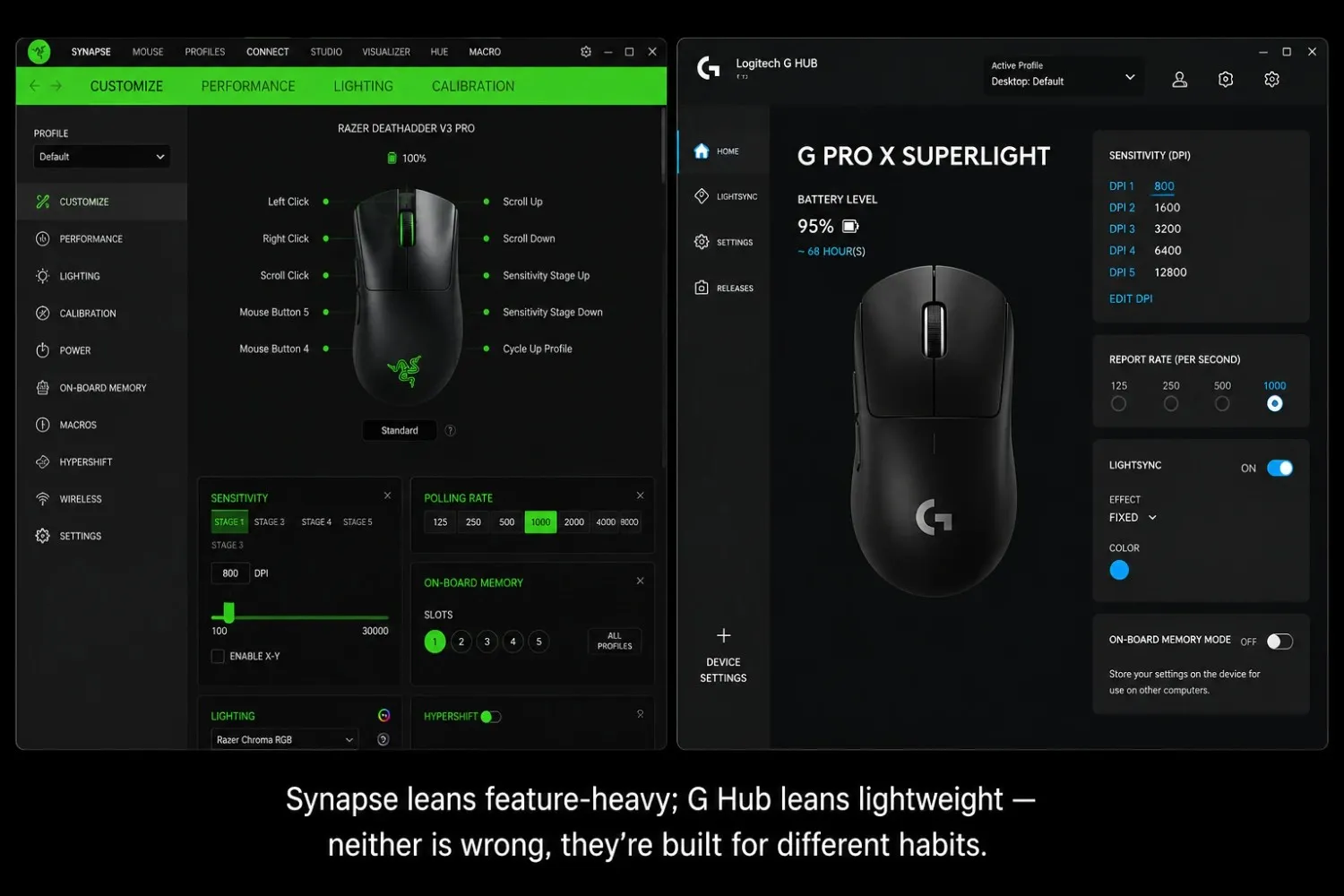
- Razer Synapse is feature-dense. It covers macro programming, per-game profiles, RGB lighting sync, and on-the-fly DPI stages. The tradeoff? Synapse runs background services; some users find it heavy on lower-spec machines.
- Logitech G Hub is generally lighter and more stable across updates. It's a touch less granular on macros than Synapse. G Hub's reliability has improved steadily in recent versions.
For most users, neither one is a dealbreaker. Synapse has the edge if you build detailed macros or want synced lighting. G Hub feels lighter if you just want to set your DPI and move on.
On-Board Memory and Driverless Use
Most mid-range and flagship mice from both brands support on-board profile storage. Your settings travel with the mouse, even without software installed. That's handy for multiple machines or LAN events.
Build Quality and Long-Term Durability
This category shows the most real-world variance. It depends heavily on which specific model you're comparing.
Logitech has a long-standing reputation for consistent build quality. That includes its budget models. Mice like the G203 and G403 come up often in longevity discussions. People report them holding up years past purchase, even under heavy daily use.
Razer's flagship line, including the DeathAdder and Viper series, also has a strong reliability track record. That's partly thanks to optical switches removing a common failure point. Razer's budget tier has had more mixed feedback, specifically on scroll wheel longevity. That's a weak point that shows up across most brands eventually, not just Razer.
Not sure if a build issue is a hardware failure or something fixable? Checking whether your mouse sensitivity is actually consistent first can rule out a calibration problem. Sometimes it's just a setting, not a switch.
Warranty Coverage Comparison
Both companies typically offer multi-year limited warranties. Exact terms vary by region and product tier. Always check the specific warranty page for your model and country. Coverage shifts between product generations.
Price-to-Performance: Which Brand Gives You More?
At every price tier, the two brands land closer together than their marketing suggests.
| Price Tier | Razer Strength | Logitech Strength |
|---|---|---|
| Budget ($20–$40) | Lighter optical switches at low cost | More consistent build quality history |
| Mid-range ($40–$80) | Strong sensor tuning, lighter weight options | Reliable software, broad surface compatibility |
| Flagship ($80+) | Fastest click response, premium shaping | HERO sensor consistency, strong ergonomic variety |
Neither brand wins outright on value. The better question is which shape fits your hand. And which software ecosystem do you already use?
Where Razer Tends to Win
Players who jitter-click, play fast-paced shooters, or want the lightest mouse shape tend to lean toward Razer. The Viper series comes up the most.
Where Logitech Tends to Win
Players who want long-term reliability, more ergonomic options, and quiet software tend to lean toward Logitech.
How to Test Your Own Mouse Regardless of Brand
Brand reputation tells you what to expect on average. It doesn't tell you how your specific unit is performing right now. A Razer mouse with a manufacturing defect will underperform a healthy Logitech mouse. The reverse is just as true.
Don't blame the brand too fast. Run a quick check on the actual unit first. Confirm every button registers once per press. Make sure the scroll wheel isn't skipping. Check that clicks aren't doubling. That two-minute check tells you more than any brand comparison ever will.
Conclusion
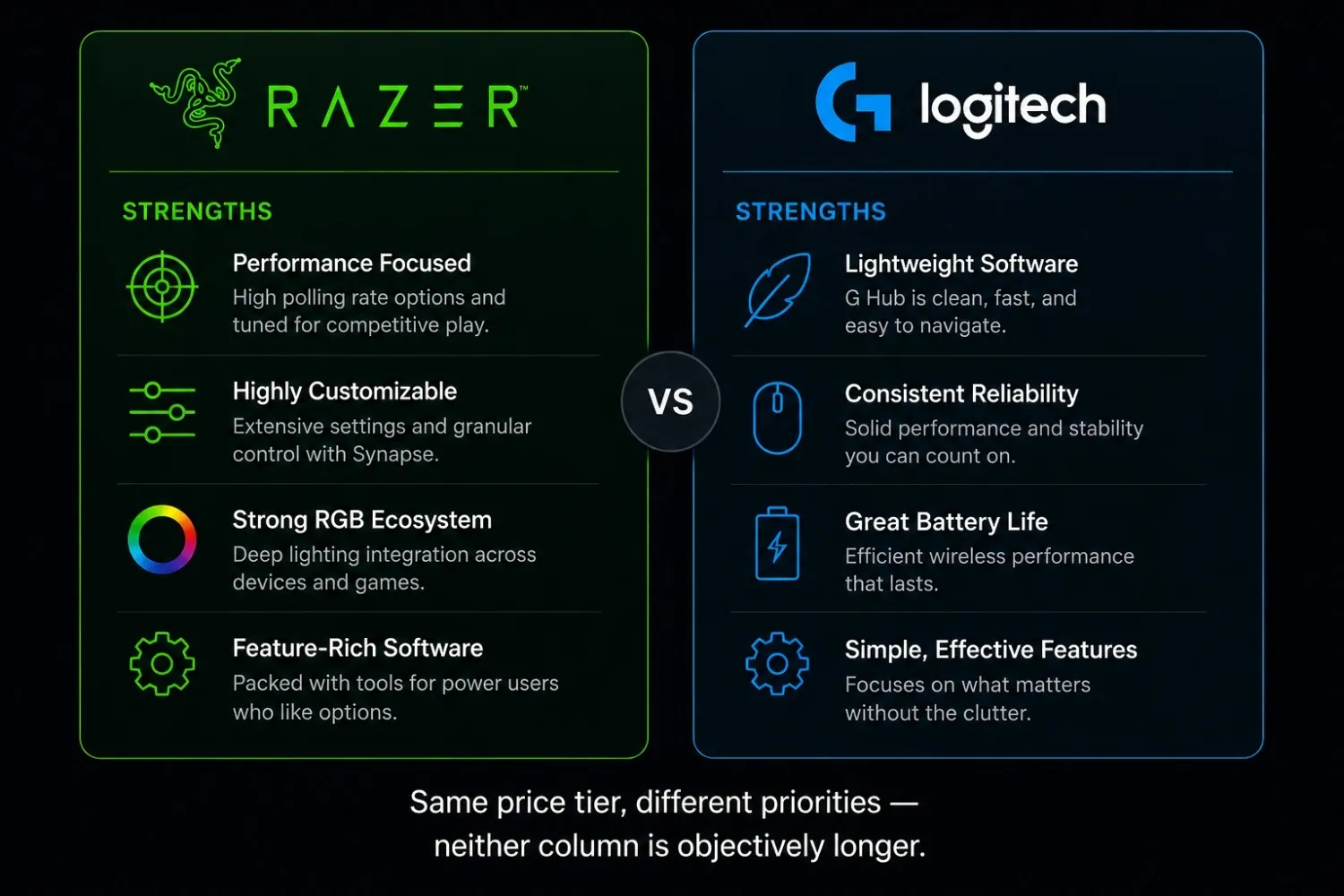
Razer and Logitech aren't really fighting over who builds the "better" mouse anymore. They're fighting over philosophy. Razer leans into speed, lighter switches, and a feature-dense software suite for players who want every setting exposed. Logitech leans into consistency, ergonomic variety, and software that mostly stays invisible once it's set up.
Neither brand wins outright. Build issues, switch faults, and sensor inconsistencies happen across both lineups. They're usually tied to a specific model, not the brand as a whole. If something feels off with your current mouse, a quick functional test beats reading another comparison article. Including this one.
Frequently Asked Questions
Is Razer or Logitech better for gaming?
Neither is universally better. Razer suits players who want lighter switches and faster click response. Logitech suits players who want long-term reliability and more ergonomic shape options. The right choice depends on your hand size, grip style, and software preference.
Do Razer mice have better sensors than Logitech?
Not meaningfully. Razer's current sensor line and Logitech's HERO sensor perform about the same at common DPI ranges. Differences mostly show up at extreme DPI settings or on poor tracking surfaces.
Which brand has better build quality, Razer or Logitech?
Both have models with strong long-term reliability. Both also have models with more mixed feedback. Logitech has a slightly more consistent reputation in its budget tier. Razer's optical switches reduce one common wear point in its mid-range and flagship mice.
Is Razer Synapse or Logitech G Hub better software?
Synapse offers deeper macro and lighting customization. That suits users with multiple Razer peripherals. G Hub is generally lighter on system resources and more stable across updates. Neither is a dealbreaker for most users.
Do Razer mice click faster than Logitech mice?
Razer's optical switches register slightly faster actuation than Logitech's mechanical switches. But the real-world gap is small. Most players won't notice it during normal play.
Which brand is better for double-click issues?
Razer's optical switches resist double-click faults better over time. There's no physical metal contact to wear down. Logitech's mechanical switches can develop this issue after years of heavy use. But it varies more by model than by brand.